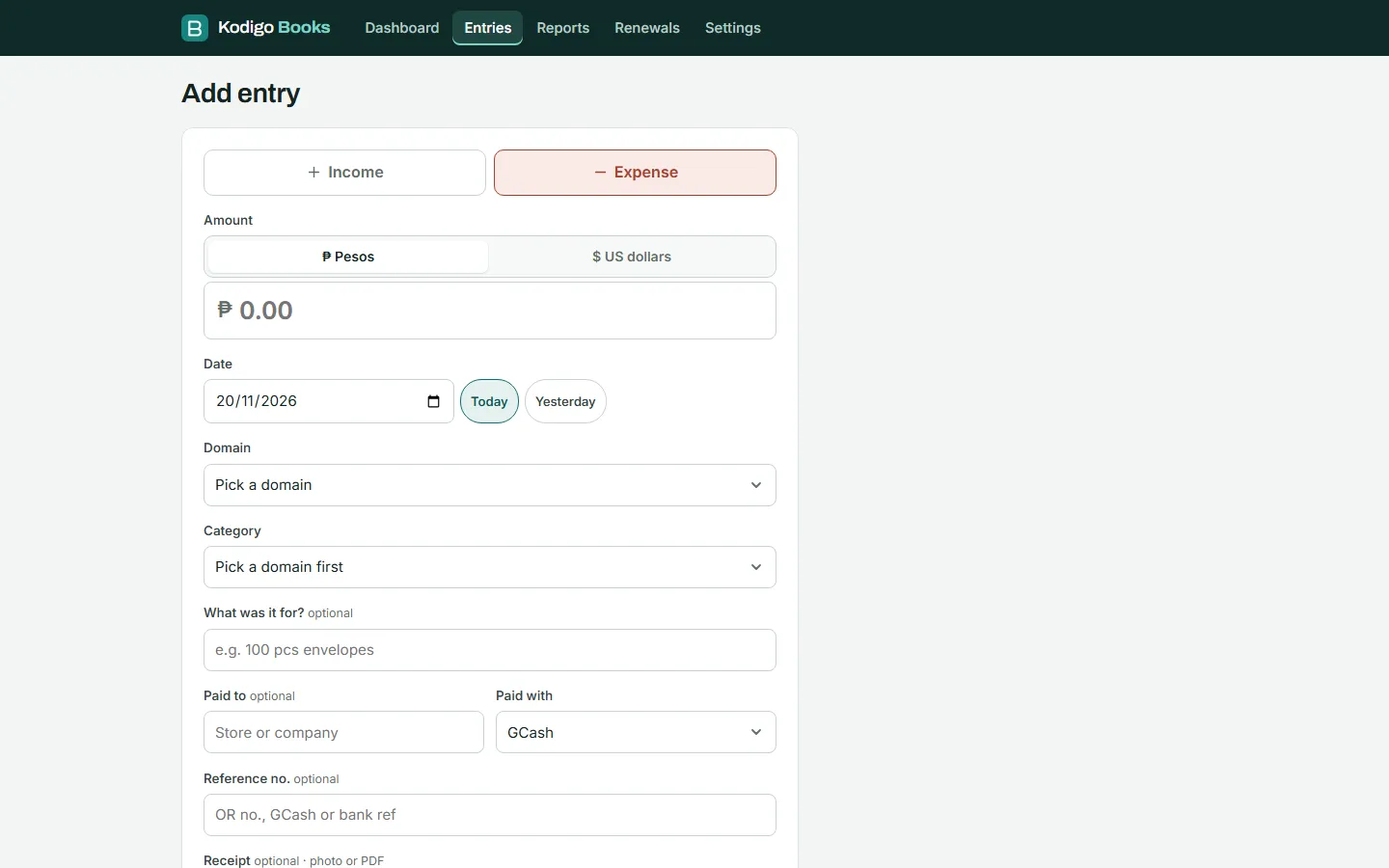
Add an entry in seconds
Pick income or expense, type the amount, and choose the domain and category. "Today" and "Yesterday" are one tap, and it remembers your last domain. Use "Save and add another" for a batch of receipts.
Simple books for people who run more than one business or website: income, expenses and profit for each one, renewals you can't forget, and receipts kept with every entry.
One set of books for all your domains or businesses, with the profit of each one and costs you share between them.
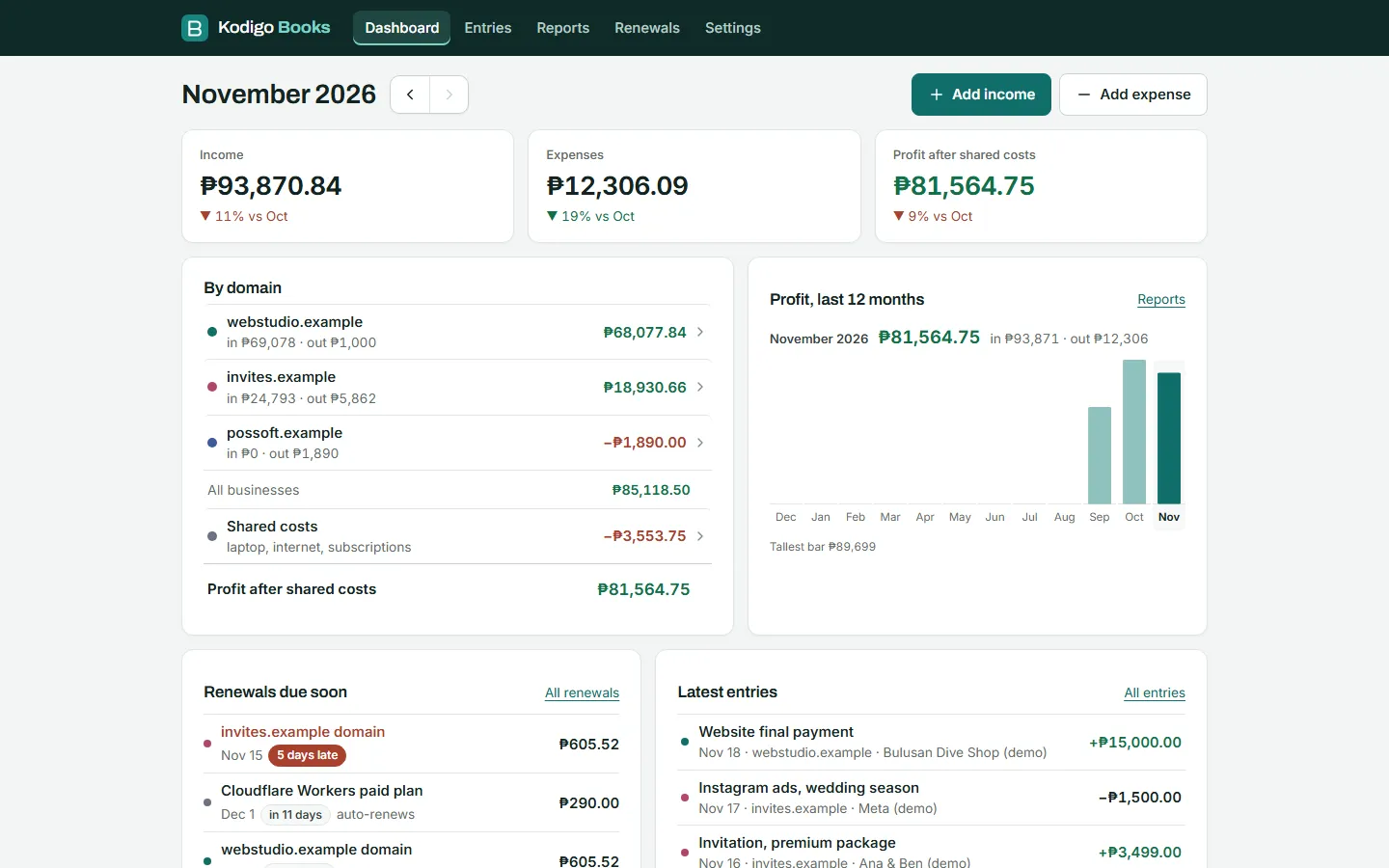
Income, expenses and profit for the month, compared with last month, plus a 12-month chart.
Paid in dollars for a domain or app? Enter the dollar amount and rate, and it is counted in pesos.
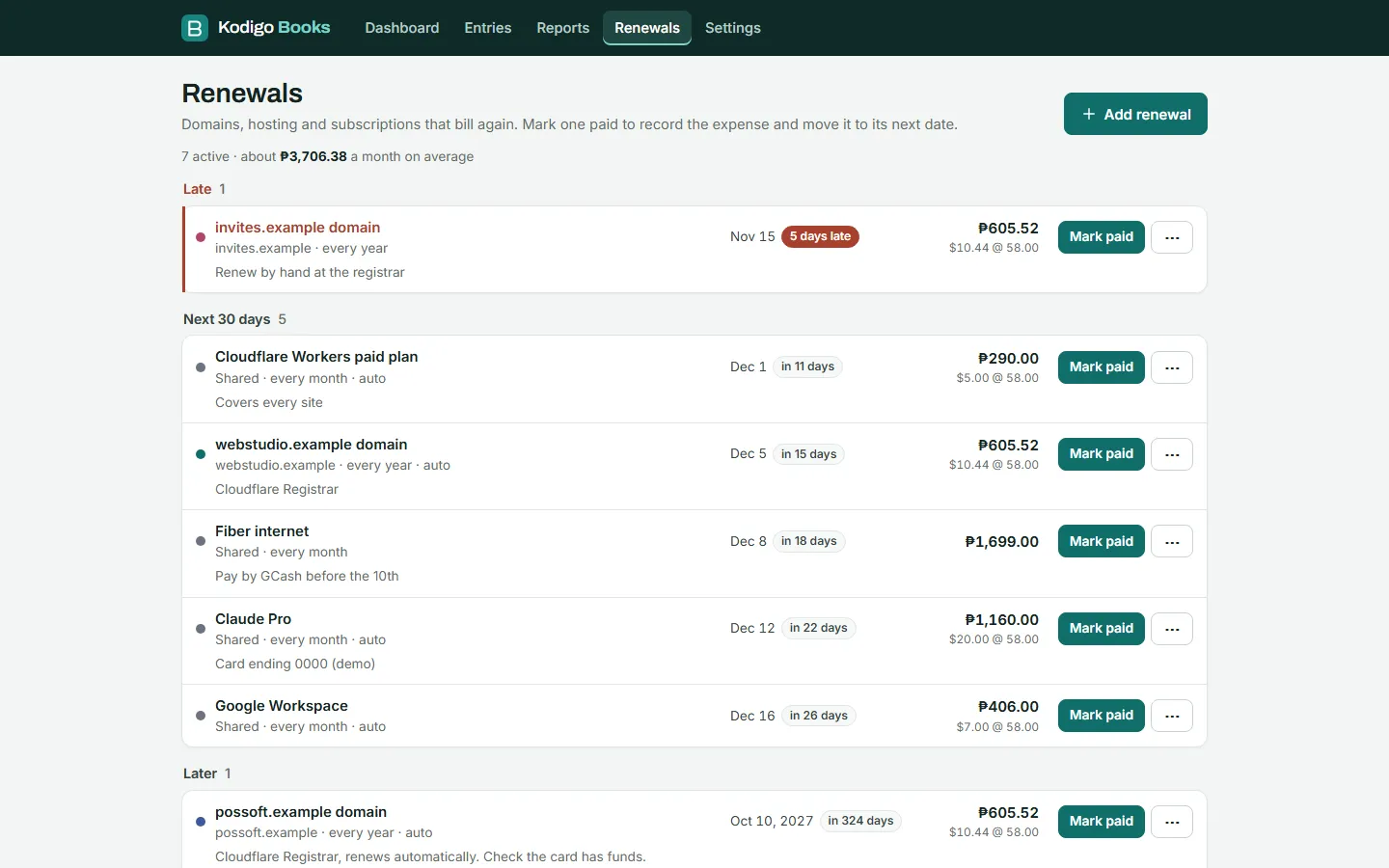
Domains, hosting and subscriptions, with what is late, due in the next 30 days, and later. One tap to mark one paid.
Snap a photo of the receipt or attach a PDF. Photos are made smaller on your phone before upload.
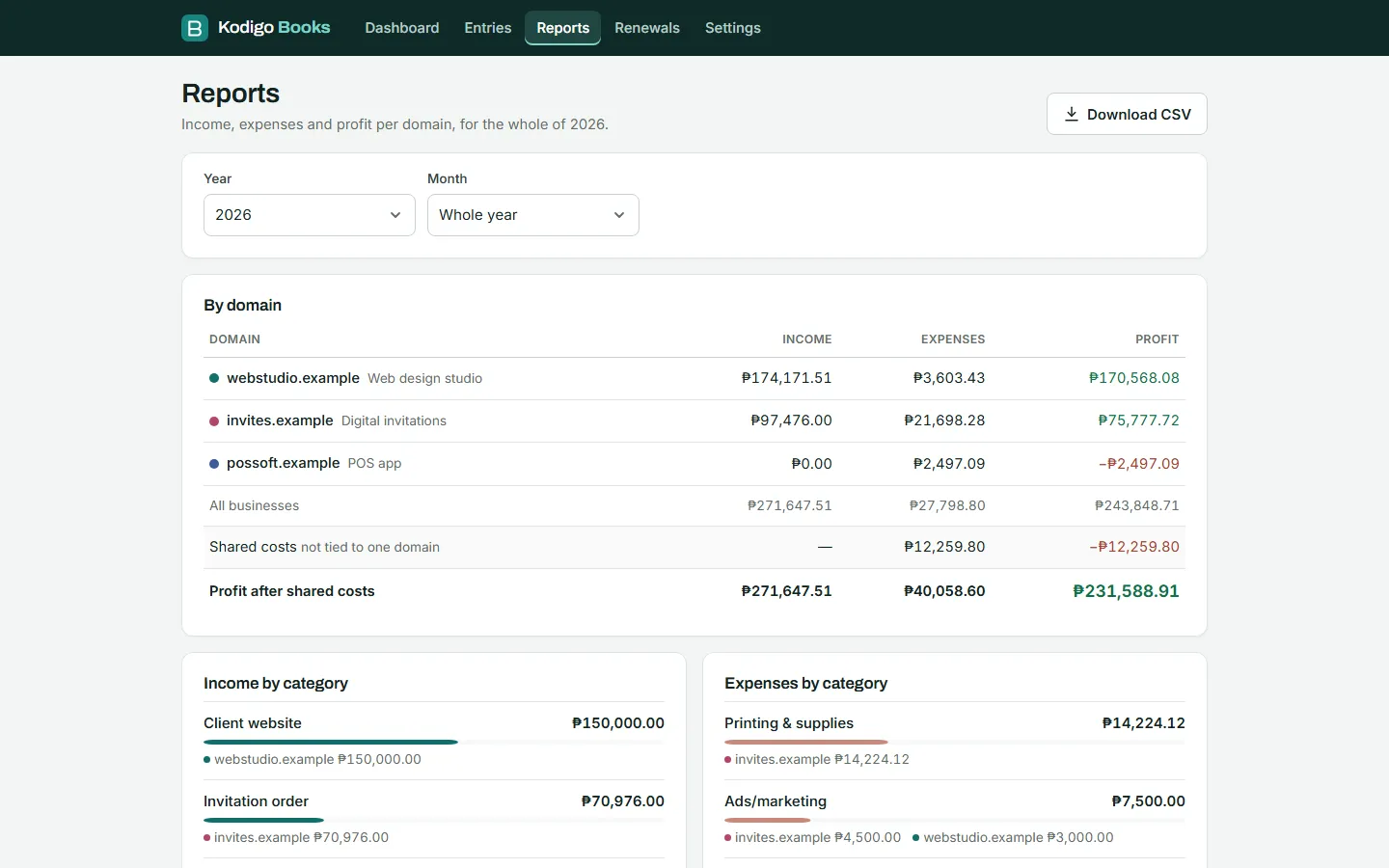
A full year or one month, by domain and by category. Download a CSV for your accountant or your own backup.
Start in Settings: add your domains or businesses and the categories you use. The demo already has three made-up businesses set up.
Pick income or expense, type the amount, and choose the domain and category. "Today" and "Yesterday" are one tap, and it remembers your last domain. Use "Save and add another" for a batch of receipts.
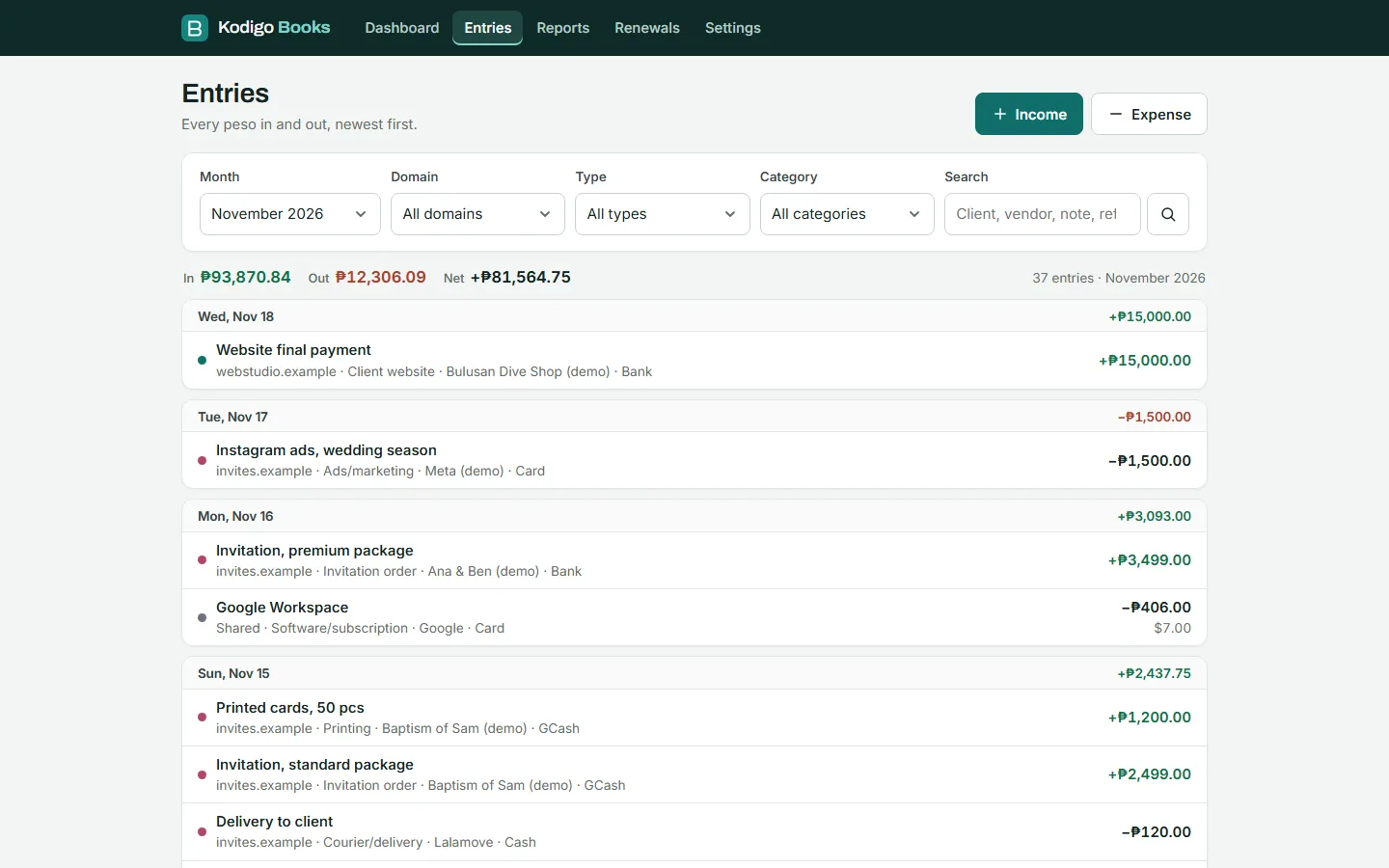
Entries are grouped by day with each day’s total. Filter by month, domain, type or category, or search for a client, vendor or reference number.
Use the arrows to move between months. Each total shows the change from last month, and each domain opens its own entries.
Add each domain, hosting plan or subscription once, with how often it renews. When you pay, "Mark paid" records the expense and moves the next due date.
At month end, open Reports for the profit of each business and where the money went. Download the CSV to keep your own copy.
No sign-up. It has sample data for three made-up businesses, and anything you add is cleared every day, so please don't type real details. Receipt uploads are turned off in the demo.